Efficiently manage and control your Wi-Fi network access and bandwidth per user
Efficiently manage and control your Wi-Fi network access and bandwidth per user
Vote (25 votes)
Program license Trial version
Developer Antamedia
Version 5.3.0
Works under Windows
Vote
(25 votes)
Developer
Antamedia
Works under
Windows
Program license
Trial version
Version
5.3.0
Pros
- Comprehensive user authentication and access control
- Customizable branding and captive portal interfaces
- Built-in payment processing and monetization tools
- Detailed analytics and reporting features
- No client software installation needed on user devices
- Flexible licensing to suit different business sizes
Cons
- User interface may feel complex for first-time administrators
- Advanced configuration requires networking knowledge
- Windows-only compatibility limits deployment on other platforms
- Pricing for higher user tiers can be substantial
Powerful Wi-Fi management and control solution for businesses and venues
Comprehensive Wi-Fi Control for Public and Private Spaces
Antamedia HotSpot Software provides a robust platform for managing Wi-Fi access in environments such as hotels, cafes, schools, and offices. Designed to give administrators granular control over connected users and devices, the software allows both small and large organizations to distribute internet access securely and efficiently.
User Authentication and Access Management
A standout feature of Antamedia HotSpot Software is its range of authentication methods. The platform supports login via vouchers, usernames/passwords, or social media options. This flexibility streamlines user management for different access scenarios—temporary guests may receive time-limited vouchers, while regular users can have their own dedicated accounts.
Administrators can set bandwidth limits and session durations per user, shaping the quality of service and ensuring a fair allocation of resources. The ability to schedule access rules enables businesses to boost speeds during off-peak hours or restrict access at specific times, optimizing the network for customer satisfaction and cost control.
Custom Branding and Monetization Options
The software supports customizable captive portal pages, enabling businesses to display their brand or messages each time users connect. This feature not only solidifies brand identity but also allows the presentation of targeted promotions or terms of service before granting internet access.
Antamedia HotSpot Software offers inbuilt billing and payment gateway support, which enables venues to monetize their Wi-Fi by offering free limited access or charging for premium usage. Integrated payment processors and voucher sales make revenue collection straightforward, helping venues recover infrastructure investments.
Device and Usage Analytics
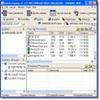
The administrative dashboard offers real-time insights into active connections, bandwidth consumption, and session logs. Detailed usage reports help administrators track performance, monitor network health, and identify potential abuse or policy violations. Businesses can leverage included satisfaction survey tools to gather direct feedback from guests and make data-driven improvements to their services.
Installation and Compatibility
The software is designed for Windows systems and operates independently of client devices—no additional apps are required on user smartphones, tablets, or laptops. This ease of implementation reduces barriers for guests and minimizes technical support demands. Antamedia HotSpot Software supports integration with various network hardware, including routers and access points from multiple vendors.
Scalability and Licensing
Different licensing tiers cover a range of user counts—from a trial version accommodating three users, suitable for home or small office, up to advanced editions capable of serving hundreds of simultaneous connections. This scalable model allows businesses to select the right solution that matches their current needs and expand when required.
Pros
- Comprehensive user authentication and access control
- Customizable branding and captive portal interfaces
- Built-in payment processing and monetization tools
- Detailed analytics and reporting features
- No client software installation needed on user devices
- Flexible licensing to suit different business sizes
Cons
- User interface may feel complex for first-time administrators
- Advanced configuration requires networking knowledge
- Windows-only compatibility limits deployment on other platforms
- Pricing for higher user tiers can be substantial